Here is something that surprises most Indian business owners when they hear it: a customer who cannot find your business on Google will often assume you have shut down — not that you simply have no website.
Web design is the process of planning, structuring, and building the visual appearance and user experience of a website. For Indian business owners, a professionally designed website functions as a 24/7 storefront — one that works during Diwali, during lunch, and during a power cut, without staff, shop rent, or opening hours.
India now has over 7.16 crore MSMEs registered on the Udyam Portal as of November 2025 (Source: IBEF MSME Industry Report, 2025). Yet 65% of Indian consumers research businesses online before making a purchase (Source: DigitalClouds.in, December 2025). The gap between those two facts is where your opportunity sits.
If you have never built or commissioned a website before, this guide breaks down everything you need to know — in plain language, with Indian examples and real costs in rupees. No jargon, no global advice that does not apply to a business in Surat or Coimbatore.
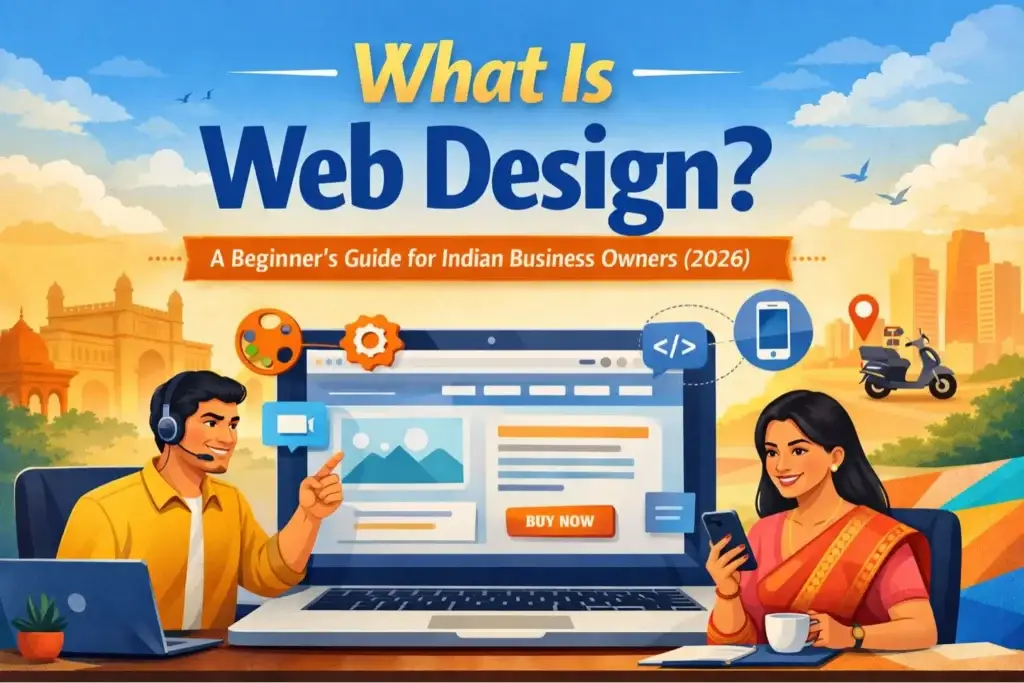
What Is Web Design?
Web design is the process of deciding how a website looks, feels, and guides visitors — including its layout, colours, fonts, images, and navigation. It is concerned with the visual and interactive side of a website, as opposed to the code that runs underneath it.
Think of it this way: if a website were a physical shop, web design would be the decisions about where to place the entrance, how to arrange the shelves, what colours to paint the walls, and how easy it is for a customer to find the billing counter. A good web design removes friction and builds trust. A poor one sends visitors away within seconds — and in India, where mobile data is cheap and attention is not, those seconds matter enormously.
One thing that is often overlooked in generic web design guides: Indian customers are among the most mobile-native internet users in the world. They are not sitting at a desktop judging your website the way a user in London or New York might. They are checking your site on their phone while waiting for a rickshaw or standing in a queue at the bank. Design decisions that ignore this reality — heavy images, pop-ups, tiny text — cost Indian businesses real inquiries every day.
For Indian business owners specifically, good web design means:
- A site that loads fast even on a 4G mobile connection in a tier-2 city
- Text and navigation that is easy to read on a small phone screen
- Clear contact details — WhatsApp number, Google Maps link, or address — visible without scrolling
- A trustworthy, professional appearance that builds confidence before a customer ever calls you
Web Design vs. Web Development: What’s the Difference?
This is one of the most common points of confusion for first-time buyers of website services in India.
| Web Design | Web Development | |
|---|---|---|
| What it covers | Look, layout, colours, typography, user experience | Code, databases, servers, functionality |
| Who does it | Web designer / UI designer | Web developer (frontend or backend) |
| Tools used | Figma, Adobe XD, Canva | HTML, CSS, JavaScript, PHP, WordPress |
| Output | Visual mockups, style guide | Working, live website |
| When you need it | Planning a new site or redesign | Building or modifying a site’s features |
In practice, many freelancers and small agencies in India offer both services together under the label “website design and development.” When you get a quote, it is worth asking specifically: does this include design, development, and hosting setup?
The Key Elements of Web Design
A professional website is built from several design components working together. Understanding these helps you communicate clearly with a designer and evaluate the quality of their work.
Layout and Structure
The layout determines where each element sits on the page — the logo, the navigation menu, the text, the images, and the call-to-action buttons. Good layout guides a visitor’s eye from top to bottom in a logical sequence, leading them toward taking an action (calling you, filling a form, or making a purchase).
Colour Palette
Colours do more than look attractive. Research consistently shows that colour influences trust and purchasing decisions. For Indian businesses, it is important to consider cultural colour associations — for instance, green is widely associated with growth and trust, while saffron carries religious significance in certain contexts. Your brand colours should be used consistently across the website.
Typography
Typography refers to the style, size, and spacing of text on your website. Text should be legible on both desktop and mobile screens without zooming. A good designer typically uses no more than two to three fonts across an entire website to maintain visual coherence.
Navigation
Navigation is how visitors move from one page to another. A clear navigation menu — usually placed at the top of the page — with simple labels such as “Home,” “About,” “Services,” “Gallery,” and “Contact” reduces confusion and keeps visitors on your site longer.
Responsive / Mobile-First Design
This is non-negotiable in India. According to industry data, approximately 85% of Indian internet users access websites via mobile devices (Source: Radsancreations, December 2025). A website that is not mobile-friendly will display broken layouts on phones, resulting in poor first impressions and lost customers. Any website built in 2026 must be responsive, meaning it automatically adjusts its layout for screens of all sizes.
Loading Speed
Website speed is critical in India, where many users are on mobile data connections. A site that takes more than 3 seconds to load loses a significant percentage of visitors before they even see it. Speed is directly influenced by web design choices — large unoptimised images, heavy animations, and cluttered layouts all slow a site down.
Call-to-Action (CTA)
A call-to-action is a button or link that prompts a visitor to take a specific next step — “Call Us Now,” “Get a Free Quote,” “Order on WhatsApp,” or “Book an Appointment.” Every page of a business website should have at least one clearly visible CTA.
Types of Websites for Indian Businesses
Not every business needs the same kind of website. Here is an overview of the most relevant types for Indian business owners:
| Website Type | Best For | Key Features |
|---|---|---|
| Business / Brochure Site | Service providers, consultants, local shops | Home, About, Services, Contact pages |
| E-commerce Website | Product sellers, retailers, artisans | Product catalogue, cart, payment gateway (Razorpay, PayU) |
| Portfolio Website | Designers, photographers, architects | Gallery, project showcase, contact form |
| Landing Page | Single product or campaign promotion | One page, strong CTA, minimal navigation |
| Booking / Appointment Site | Clinics, salons, tutors, coaches | Calendar integration, online booking form |
For most Indian MSMEs starting out, a business / brochure website of 5–8 pages is the right starting point. It covers the essentials, loads quickly, and can be expanded later as your business grows.
How Much Does a Website Cost in India?
This is the question every Indian business owner asks first — and the honest answer is: it depends. But here are real market ranges drawn from current 2026 pricing data across freelancer platforms, Indian web agencies, and published guides from GoDaddy India, Harwee Designs, and DigitalClouds.in:
By Website Type
| Website Type | Estimated Cost (INR) | Timeline |
|---|---|---|
| Basic static website (3–5 pages) | ₹10,000 – ₹25,000 | 1–2 weeks |
| Small business website (8–12 pages) | ₹25,000 – ₹75,000 | 2–4 weeks |
| Corporate / brand website | ₹1,50,000 – ₹5,00,000 | 4–8 weeks |
| E-commerce (up to 100 products) | ₹35,000 – ₹1,00,000 | 3–6 weeks |
| Custom enterprise website | ₹2,00,000 – ₹6,00,000+ | 8–16 weeks |
By Who You Hire
| Developer Type | Hourly Rate | Best For |
|---|---|---|
| Freelancer (entry level) | ₹500 – ₹1,000/hr | Simple static sites, tight budgets |
| Freelancer (mid-level) | ₹1,000 – ₹3,000/hr | Small business sites, WordPress |
| Small agency | ₹5,000 – ₹20,000/day | Complete projects, with support |
| Established agency | ₹20,000+/day | Corporate or e-commerce projects |
Additional Costs to Budget For
Beyond design and development, factor in:
- Domain name: A
.comdomain costs approximately ₹999–₹1,029 per year; a.indomain costs ₹529–₹679 per year (Source: KumoHQ, 2025). Available via BigRock, GoDaddy India, or Hostinger India. - Web hosting: Shared hosting in India starts from ₹1,500–₹5,000 per year for a basic site
- SSL certificate: Many hosting plans include this free; it enables the padlock icon in browsers and is essential for trust and Google ranking
- Maintenance: Budget ₹3,000–₹15,000 per month for regular updates and security
- SEO services: ₹8,000–₹30,000 per month if you want your site to appear in Google search results
A realistic first-year budget for a small Indian business website — including design, hosting, domain, and basic setup — is ₹30,000 to ₹90,000.
DIY vs. Hiring a Professional: Which Is Right for You?
Both options are valid depending on your situation. Here is an honest comparison:
DIY Website Builders Available in India
| Platform | Monthly Cost (approx) | Best For | Ease of Use |
|---|---|---|---|
| Wix | ₹170 – ₹1,700/month | General business sites | Very easy |
| Squarespace | ₹1,200 – ₹2,500/month | Portfolios, creative businesses | Easy |
| WordPress.com | Free – ₹800/month | Blogs, simple sites | Moderate |
| WordPress.org (self-hosted) | Hosting cost only | Full control, scalable | Technical |
| Shopify | ₹1,499 – ₹5,599/month | E-commerce | Easy to moderate |
Choose DIY if: You have a very limited budget, a simple one or two-page requirement, time to learn, and no complex features needed.
Choose a professional if: You want a site that reflects your brand quality, need features like payment integration or booking systems, or simply do not have 10–20 hours to invest in learning a platform. For most business owners, the time cost of DIY is higher than its apparent financial saving.
Step-by-Step: How to Get a Website Made in India
Here is a practical roadmap to take your website from idea to launch:
Step 1 — Define your goal. Decide the primary purpose of your website. Is it to generate phone calls? Showcase a portfolio? Sell products? This one decision shapes every design choice that follows.
Step 2 — Choose a domain name. Pick a name that is short, easy to spell, and close to your business name. Register it immediately on platforms like BigRock, GoDaddy India, or Hostinger India. Domains are inexpensive and can be claimed before you even hire a designer.
Step 3 — Plan your pages. Most small business sites need: Home, About, Services or Products, Gallery or Portfolio (if relevant), Testimonials, and Contact.
Step 4 — Find a designer or agency. Search on platforms such as Upwork, Freelancer.in, or via Google search (“web designer in [your city]”). Ask to see live examples of their previous work — not just screenshots — and check how those sites perform on a mobile phone.
5 Questions to Ask Before You Hire a Web Designer in India
- Can you show me three live websites you have built for Indian businesses in my industry?
- Will the site be mobile-first, and will you test it on Android before handover?
- Is hosting, domain, and SSL setup included in your quote — or billed separately?
- What happens if I need a change after the site goes live? Is one round of revisions included?
- Will I own the website files and hosting account, or does it stay under your control?
A trustworthy designer will answer all five without hesitation. Vague answers to questions 3, 4, or 5 are red flags.
Step 5 — Prepare your content. Gather your business logo, high-quality photos of your products or premises, a short description of your business, your services list, and customer testimonials. A designer cannot build a great site without this material.
Step 6 — Review and give feedback. Any professional process will include one or more design reviews. Provide specific, clear feedback rather than vague direction. For example: “The font feels too small on mobile” is more useful than “it doesn’t look right.”
Step 7 — Launch and test. Before going live, test your site on at least three devices — a desktop computer, an Android phone, and a small-screen device. Click every link, fill in every form, and make sure the Contact page displays your correct phone number and address.
Step 8 — Set up Google Business Profile. Once your website is live, link it to your free Google Business Profile listing. This significantly improves your chances of appearing in Google Search and Google Maps when local customers search for your type of business.
A Real Example: How a Mumbai Boutique Used Web Design to Grow
A women’s clothing boutique in Bandra, Mumbai had been operating through Instagram and WhatsApp referrals for three years. The owner — Meera, who runs a 12-piece curated ethnic wear label — had a loyal customer base but no way to reach beyond it. Repeat customers had no way to browse her full collection without sending her a message and waiting for a reply.
In early 2025, she commissioned a 7-page WordPress website with a product gallery, a “Book a Styling Session” form, and a WhatsApp chat button pinned to every page. The brief to the designer was clear: fast on mobile, easy to navigate, and no pop-ups. Her typical customer was browsing on a phone while commuting or during a lunch break — not on a desktop at home.
Within four months of launch:
- Website form inquiries averaged 18–22 per month, supplementing (not replacing) Instagram-driven traffic
- The “Book a Styling Session” feature reduced WhatsApp back-and-forth significantly, because customers arrived at the conversation already knowing her price range and available styles
- Google Business Profile, linked to the website, began generating 30–40 map views per week from customers searching “women’s boutique Bandra”
Total cost: approximately ₹45,000, covering design, first-year hosting, and a half-day product photoshoot. Meera recovered that cost within five months from inquiries that would not have reached her through Instagram alone.
The lesson is not that every business will see identical results. It is that a focused, mobile-first website — built with a specific customer in mind — consistently outperforms a beautiful website built with no clear purpose.
Common Web Design Mistakes Indian Business Owners Make
Learning from others’ errors saves money and time. Here are the most frequent missteps seen in first-time website projects across India:
Choosing the cheapest option without checking quality. A ₹3,000 website from an unknown freelancer may be built on a slow, insecure template already used by dozens of other businesses. Spend time reviewing live work before making a decision.
Using only desktop to review the design. Since most Indian visitors will access your site on a phone, approve the mobile view first, not the desktop.
Not including a WhatsApp contact option. WhatsApp is the primary communication channel for most Indian consumers and B2B buyers. A WhatsApp chat button on every page significantly increases the number of inquiries a website generates.
Ignoring website speed. Beautiful design that loads in 8 seconds will lose most Indian mobile users before they see it. Ask your designer to test site speed using Google PageSpeed Insights before handover.
No call-to-action on the homepage. Many first websites read like a brochure but give visitors no next step. Your homepage should clearly tell visitors what to do: call, WhatsApp, visit, or book.
Skipping the Google Business Profile setup. A website alone does not make you visible on Google Maps. Claim and complete your Google Business Profile, linking it to your website, to appear in local search results.
Frequently Asked Questions
Web design is the process of deciding how a website looks and how easy it is to use — including its colours, layout, fonts, images, and navigation. It is the visual and user experience side of building a website.
No. You do not need any technical skills to commission a website from a designer or to use DIY platforms like Wix or Squarespace. However, basic familiarity with platforms like WordPress helps if you want to update your own content after launch.
A basic 5–8 page business website typically takes 1–3 weeks from the time all content (text, images, logo) is provided. E-commerce sites with many products usually take 4–8 weeks.
Web design covers how a website looks and feels. Web development covers the code that makes it work. Many professionals and agencies in India offer both services together.
Responsive design means a website automatically adjusts its layout to fit any screen size — desktop, tablet, or mobile phone. With 85% of Indian internet users accessing sites via mobile, responsive design is essential, not optional.
WordPress is the most widely used website platform in the world and is an excellent choice for Indian small businesses. It is flexible, cost-effective, has a large pool of Indian developers familiar with it, and can be expanded as your business grows.
A domain name is your website’s address on the internet — for example, yourbusiness.com or yourbusiness.in. It is what customers type or click to reach your site. Domain registration in India typically costs ₹529–₹1,029 per year depending on the extension.
For a professionally designed 5–10 page website, budget ₹25,000 to ₹75,000 for design and development, plus ₹3,000–₹6,000 per year for hosting and domain. An e-commerce site will cost more, starting from approximately ₹35,000–₹1,00,000.
Platforms like WordPress.com and Google Sites offer free plans, but these typically include platform branding, limited features, and no custom domain. For a professional business website, a small investment in a paid plan or a freelancer produces significantly better results.
A Call-to-Action is a button or link that tells your visitor what to do next — such as “Call Now,” “Get a Free Quote,” or “Chat on WhatsApp.” Without a clear CTA, visitors may read your website but leave without taking any action. Every page should have at least one.
Key Takeaways
Web design is one of the highest-ROI investments a small Indian business can make in 2026. With over 700 million internet users in India and a growing majority of purchase decisions beginning with an online search, a well-designed website builds credibility, generates leads, and works around the clock — without requiring your personal attention.
The most important steps for an Indian business owner starting out are simple: define what you want visitors to do, choose a domain name, find a designer with verified work in their portfolio, prepare your content, and launch a mobile-first site with a clear WhatsApp contact option and Google Business Profile link.
A professional, functional website for a small business in India can be built for ₹30,000–₹75,000 — a cost that most businesses recover within months through the additional inquiries and credibility it generates.
Your Next Step
Reading about web design is useful. Acting on it is what separates businesses that grow online from those that stay invisible.
Here are three concrete actions you can take today — in order of effort:
1. Claim your domain name (10 minutes, ₹999–₹1,029/year) Even if your website is months away, register your domain name now on BigRock, GoDaddy India, or Hostinger India. Domain names get taken. Your business name + .com or .in is worth securing immediately.
2. Claim your Google Business Profile (15 minutes, free) Go to google.com/business and claim your free listing. This makes your business visible on Google Maps and Google Search before you even have a website. It is the single highest-impact free action available to any Indian local business.
3. Get two or three quotes (1–2 hours) Search “web designer in [your city]” and reach out to three people with a brief: your business type, approximate number of pages needed, and your budget range. Compare not just price but responsiveness, portfolio quality, and whether their previous sites load well on a mobile phone.
If you have questions about any step in this guide, leave a comment below or reach out via our contact page.